
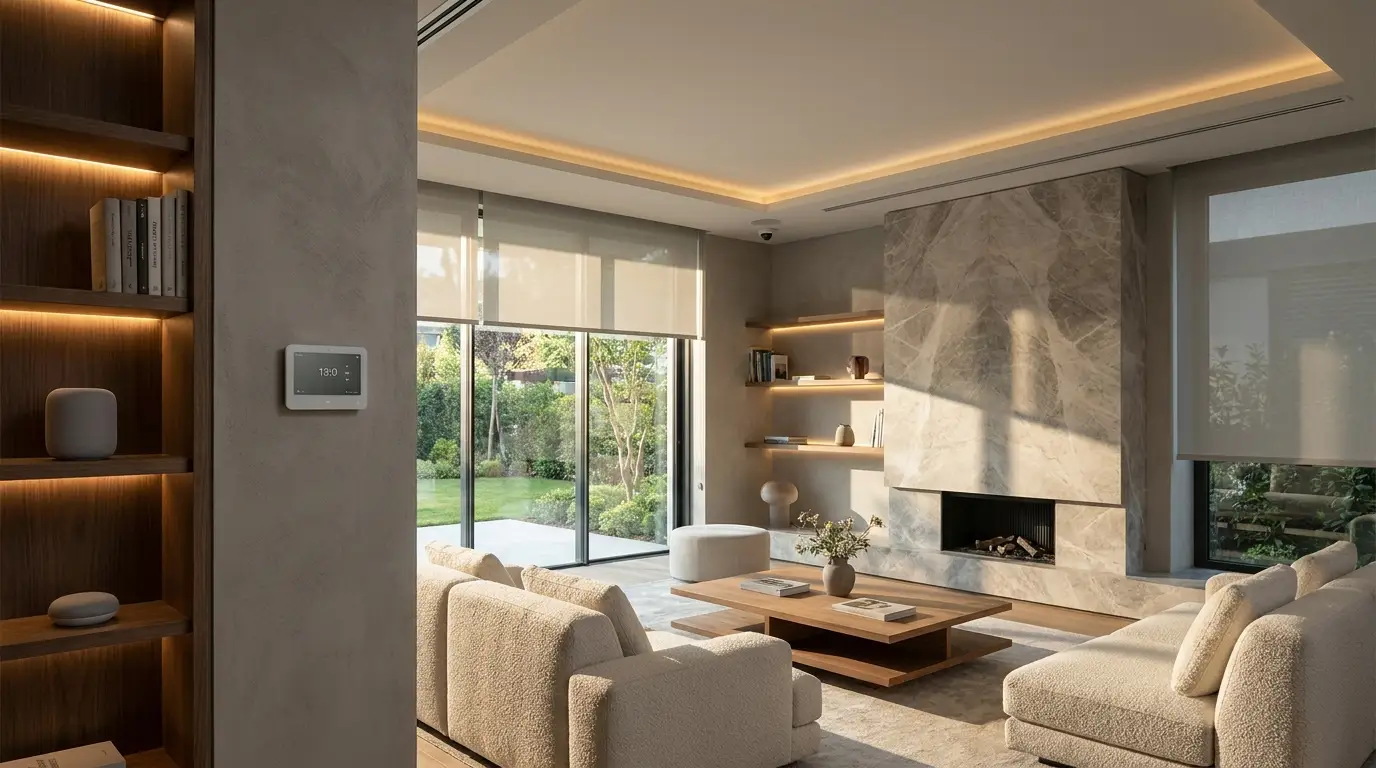

Smart home integration is the process of connecting different smart devices, platforms, and home systems so they can work together as one coordinated environment. Instead of controlling your lights, thermostat, security cameras, locks, speakers, and appliances separately, integration allows them to communicate through a central smart home platform and respond automatically to your routines.
A well-integrated smart home isn’t simply a collection of connected gadgets. The real value comes from how those devices work together.
For example, unlocking your front door could automatically turn on the entryway lights, adjust the thermostat, and pause the security system. A motion sensor could activate hallway lighting at night without turning on bright overhead fixtures. Your home could even switch into an energy-saving mode when everyone leaves.
The challenge is choosing compatible devices, selecting the right ecosystem, protecting your data, and designing automations that actually make everyday life easier.
This guide explains how smart home integration works, what technologies matter, which devices you can connect, common mistakes to avoid, and how to build a reliable connected home without unnecessary complexity.
Table of Contents
What Is Smart Home Integration?
Smart home integration connects compatible smart devices and home systems so they can communicate, share information, and respond to automated commands or routines.
Instead of operating each product independently, an integrated system creates relationships between devices.
For instance:
- A smart door lock can trigger entry lighting.
- A thermostat can adjust based on occupancy.
- Motion sensors can activate lights.
- Smart blinds can respond to sunlight.
- Security systems can activate an away routine.
- Smart appliances can become part of scheduled routines.
- Voice assistants can provide a single interface for multiple devices.
The key distinction is between smart devices and a smart home system.
A smart bulb controlled from your phone is useful. Ten smart devices that work together intelligently can transform the way a home operates.
Smart Home Integration at a Glance
| Component | What It Does | Example |
|---|---|---|
| Smart devices | Perform individual functions | Lights, locks, cameras |
| Hub/platform | Coordinates devices | Smart home controller |
| Communication protocol | Allows devices to communicate | Wi-Fi, Thread, Zigbee |
| Automation | Creates device-to-device actions | Motion → lights |
| Voice control | Provides hands-free control | Voice assistant |
| Sensors | Detect conditions | Motion, temperature, contact |
| App | Provides manual control | Mobile dashboard |
How Does Smart Home Integration Work?
Smart home integration generally involves three layers: devices, communication, and automation.
Your smart devices collect information or perform actions. A communication technology transfers information between them. A smart home platform then uses that information to execute commands or routines.
Consider a simple nighttime automation.
A motion sensor detects movement in a hallway. The system checks the time. If it’s nighttime, it instructs compatible hallway lights to turn on at a low brightness level. After a period without movement, the lights turn off.
The user doesn’t need to touch a switch.
The Basic Smart Home Integration Process
- Sensors detect an event
- The smart home platform receives the information
- Automation rules evaluate the conditions
- The system sends commands to connected devices
- Devices perform the requested action
This creates an if-this-then-that relationship.
For example:
If the front door unlocks after sunset, turn on the entry lights.
More advanced systems can combine several conditions:
If nobody is home, the temperature is above the preferred threshold, and outdoor conditions meet the chosen criteria, adjust the thermostat.
The more sophisticated the system becomes, the more important compatibility and reliability become.
Why Smart Home Integration Matters
The biggest benefit isn’t having more technology. It’s reducing the number of things you have to think about.
1. Convenience
Integrated systems can automate repetitive tasks.
A morning routine might:
- Open selected blinds
- Adjust the thermostat
- Turn on kitchen lighting
- Start a preferred playlist
- Provide a weather update
Instead of managing each device separately, one routine coordinates everything.
2. Energy Management
Smart thermostats, lighting, blinds, plugs, and sensors can work together to reduce unnecessary energy use.
For example, occupancy sensors can help prevent lights from remaining on in unused areas. Smart blinds can be incorporated into routines designed around daylight and temperature.
Integration doesn’t automatically guarantee lower energy bills, but it can make energy-related controls easier to manage.
3. Security
Connected locks, cameras, door sensors, alarms, and lighting can work as a coordinated security system.
A departure routine might:
- Lock connected doors
- Turn off selected lights
- Adjust the thermostat
- Activate security devices
- Close connected blinds
Likewise, a door sensor could trigger a notification or activate selected lights when an unexpected event occurs.
4. Accessibility
Automation can reduce the amount of physical interaction required to control a home.
Voice commands, scheduled routines, motion sensors, smart switches, and centralized controls can be particularly useful for people who find conventional controls inconvenient.
5. Better Everyday Experiences
The most sophisticated smart home isn’t necessarily the one with the most devices.
It’s the one where technology becomes almost invisible.
A good automation might be something you stop noticing because it simply works.
Which Devices Can Be Integrated?
Modern smart homes can connect far more than lighting and speakers.
Smart Lighting
Lighting is one of the easiest places to begin.
Integrated lighting can respond to:
- Motion
- Time
- Occupancy
- Door activity
- Sunrise and sunset
- Scenes
- Voice commands
Instead of creating dozens of individual schedules, you can create scenes such as Movie Night, Dinner, Morning, or Away.
Smart Thermostats
A smart thermostat can become more useful when connected with occupancy sensors, windows, doors, and other devices.
For example, a system could detect that a window has been left open and adjust the heating or cooling strategy accordingly.
Smart Locks
Smart locks can participate in arrival and departure routines.
An authorized unlock event could trigger an entry scene, while an away routine could check whether connected doors are locked.
Security Cameras and Sensors
Security integration can combine:
- Cameras
- Door sensors
- Window sensors
- Motion sensors
- Alarm systems
- Smart lighting
- Notifications
This creates more context than an isolated security camera.
Smart Appliances
Depending on the appliance and ecosystem, connected refrigerators, ovens, washing machines, dishwashers, and other appliances may provide monitoring, notifications, scheduling, or automation features.
However, appliances should be integrated selectively. Automation is most useful when it solves a genuine problem rather than simply adding another connected device.
Smart Shades and Blinds
Motorized shades can be integrated with lighting, schedules, occupancy, and environmental routines.
A morning scene could gradually open bedroom shades while adjusting lighting and temperature.
Smart Home Protocols: Why Compatibility Matters
One of the most confusing parts of smart home integration is understanding how devices communicate.
Common technologies include Wi-Fi, Bluetooth, Zigbee, Z-Wave, and Thread. Different products may support different combinations.
Wi-Fi
Wi-Fi is widely available and familiar.
Advantages:
- Uses existing home networking infrastructure
- Suitable for many high-bandwidth devices
- Easy to connect in many homes
Potential drawback: A large number of Wi-Fi devices can increase demands on the home network.
Zigbee
Zigbee is a low-power wireless technology commonly used in smart home devices.
It can support mesh networking, allowing compatible devices to communicate through the network rather than relying on a single direct connection.
Z-Wave
Z-Wave is another wireless technology designed specifically around smart home applications.
Its ecosystem has historically been associated with sensors, switches, locks, and other home automation products.
Thread
Thread is a low-power mesh networking technology designed for connected devices. It is increasingly relevant to modern smart home ecosystems and can provide a foundation for compatible devices to communicate efficiently.
Bluetooth
Bluetooth is useful for direct local connections and device setup, although it serves a different role from technologies designed specifically for larger smart home networks.
Matter
Matter is an interoperability standard designed to make compatible smart home devices easier to use across different ecosystems.
This is particularly important because smart home users have historically faced a frustrating problem: buying a device that works with one platform but not another.
Matter aims to reduce that fragmentation.
However, a Matter logo doesn’t mean every feature will work identically across every ecosystem. Device capabilities, controller support, firmware, and platform-specific features still matter.
Matter vs. Wi-Fi vs. Thread: What’s the Difference?
These technologies are often confused because they solve different problems.
| Technology | Primary Role |
| Matter | Application-level interoperability standard |
| Wi-Fi | Wireless networking |
| Thread | Low-power mesh networking |
| Zigbee | Smart home wireless communication |
| Z-Wave | Smart home wireless communication |
| Bluetooth | Short-range wireless communication |
The important takeaway is simple:
Matter and Thread aren’t direct substitutes for each other.
A device can use Thread for networking while using Matter as its application-layer standard.
Understanding this distinction makes shopping for compatible devices much easier.
How to Choose a Smart Home Ecosystem
Before buying dozens of devices, decide which platform will serve as the foundation of your home.
Your choice should depend on:
- Devices you already own
- Phones and computers you use
- Voice-control preferences
- Required automations
- Compatibility
- Privacy expectations
- Local versus cloud processing
- Ease of setup
- Future expansion
Don’t Choose Based Only on the Brand
A common mistake is choosing an ecosystem because one product looks attractive.
Instead, start with your desired experience.
Ask:
What do I want my home to do automatically?
For example, if your priority is whole-home lighting, security, climate control, and voice control, investigate how the complete system handles those categories rather than choosing based on one attractive gadget.
The Best Way to Build a Smart Home
You don’t need to automate everything at once.
A phased approach is usually easier to manage.
Phase 1: Start With One Problem
Choose a specific annoyance.
Examples:
- Lights are always left on.
- The thermostat needs constant adjustment.
- You forget to lock the door.
- You want better nighttime lighting.
- You want to know when a package arrives.
Solve that problem first.
Phase 2: Build Around the Solution
Once the first automation works reliably, identify related devices that can make it better.
For example:
Problem: Hallway lights are inconvenient at night.
Initial solution: Smart bulb.
Expanded solution: Motion sensor + smart switch + time-based automation.
Advanced solution: Motion + time + occupancy + low-light scene.
This approach prevents the common mistake of buying technology before understanding the desired automation.
Phase 3: Add Cross-Device Automations
Once individual devices are stable, connect them.
For example:
Leaving Home
- Detect departure.
- Turn off selected lights.
- Lock connected doors.
- Adjust thermostat.
- Activate security mode.
Arriving Home
- Detect arrival.
- Unlock or prepare the entry system where appropriate.
- Turn on selected lights.
- Adjust climate.
- Restore preferred scenes.
The goal is not maximum automation. It’s useful automation.
Local vs. Cloud-Based Smart Home Integration
Another important decision is where automation processing occurs.
Cloud-Based Systems
Cloud-connected systems process some functions through internet-based services.
Advantages:
- Easy remote access
- Simple setup
- Integration with online services
- Convenient voice and account features
Potential drawbacks:
- Internet dependence
- Account dependency
- Possible latency
- Privacy considerations
- Service changes can affect functionality
Local Processing
Some systems can process automations locally within the home.
Advantages:
- Potentially faster responses
- Greater resilience during internet outages
- More control over data
- Reduced reliance on external services
Potential drawbacks:
- More setup complexity
- Hardware requirements
- Greater responsibility for maintenance
For critical automations, local capability can be an important consideration.
Privacy and Security in a Smart Home
A connected home creates another category of digital security risk because physical devices are connected to networks and online accounts.
Use basic security practices:
- Create strong, unique passwords.
- Enable multi-factor authentication where available.
- Keep device firmware updated.
- Secure your home Wi-Fi network.
- Remove devices you no longer use.
- Review app permissions.
- Check which devices require cloud accounts.
- Understand what information devices collect.
- Use reputable manufacturers and platforms.
- Separate sensitive devices from less trusted network equipment when appropriate.
Cameras, microphones, locks, and sensors deserve particular attention because they can reveal information about your home and routines.
Common Smart Home Integration Mistakes
Buying Devices Before Choosing an Ecosystem
This can leave you with several products that technically work but don’t cooperate well.
Better approach: Choose your platform and compatibility requirements first.
Automating Everything
Not every action needs automation.
If an automation regularly creates unexpected behavior, it isn’t improving the home.
Ignoring Manual Controls
Smart homes should still be usable when technology fails.
Whenever practical, maintain straightforward manual ways to control essential functions.
Forgetting Network Reliability
Your smart home depends heavily on networking.
Poor Wi-Fi coverage, overloaded routers, interference, or weak infrastructure can create unreliable behavior.
Choosing Cheap Devices Solely on Price
The cheapest device isn’t necessarily the cheapest long-term solution.
Consider:
- Software support
- Firmware updates
- Compatibility
- Privacy
- Reliability
- Replacement costs
- Integration capabilities
Creating Overly Complicated Automations
Complex automations can become difficult to troubleshoot.
Start simple:
Trigger → condition → action
Then add complexity only when there is a clear benefit.
A Practical Smart Home Integration Checklist
Before purchasing a new device, ask:
- Does it support my chosen ecosystem?
- Does it support the features I actually need?
- Does it require a cloud account?
- Does it support local control?
- What communication technology does it use?
- Is it compatible with my existing devices?
- Will it continue working if the internet goes down?
- How frequently is firmware updated?
- What data does it collect?
- Can I control it manually?
- Can I replace it without rebuilding my entire system?
This checklist can prevent many compatibility headaches.
Smart Home Integration Ideas Worth Trying
Here are practical automations that offer real everyday value.
Good Morning
At a chosen time:
- Gradually open bedroom shades.
- Adjust lighting.
- Set the thermostat.
- Provide useful information through a voice assistant.
Leaving Home
When everyone leaves:
- Turn off selected lights.
- Lock doors.
- Adjust climate settings.
- Activate security devices.
Coming Home
When an authorized household member arrives:
- Activate entry lighting.
- Adjust climate.
- Restore selected scenes.
Night Mode
At bedtime:
- Turn off unnecessary lights.
- Dim bedroom lighting.
- Lock doors.
- Activate appropriate security settings.
- Reduce selected notifications.
Midnight Lighting
When motion is detected during nighttime hours:
- Turn on pathway lighting.
- Keep brightness low.
- Turn lights off automatically afterward.
This is a particularly good example of context-aware automation: the same motion event can produce a different result depending on the time.
The Future of Smart Home Integration
The smart home industry is moving toward greater interoperability, more contextual automation, and less device-by-device management.
Instead of asking a home to perform isolated commands, future systems are increasingly focused on understanding context.
For example, a smart home could potentially coordinate lighting, climate, security, appliances, and entertainment based on occupancy, schedules, environmental conditions, and user-defined preferences.
Standards such as Matter are part of the broader effort to make different products and ecosystems work together more easily.
Artificial intelligence may also make automation easier to create by allowing users to describe desired behaviors in natural language rather than manually constructing complicated rules.
The important principle will remain the same:
Technology should simplify the home rather than become another system you have to manage.
Key Takeaways
- Smart home integration connects multiple devices into a coordinated system.
- The biggest benefit comes from automation, not simply owning smart products.
- Start with a real household problem instead of buying gadgets randomly.
- Compatibility should be checked before purchasing new devices.
- Matter is designed to improve interoperability between compatible smart home products.
- Wi-Fi, Thread, Zigbee, and Z-Wave serve different networking roles.
- Local control can improve resilience and reduce dependence on cloud services.
- Security and privacy should be considered when connecting cameras, locks, microphones, and sensors.
- Keep automations simple enough to troubleshoot.
- Always maintain practical manual controls for essential functions.
- A successful smart home is one that makes everyday life easier without demanding constant attention.
Final Thought
The best smart home isn’t the one with the most devices. It’s the one where technology quietly handles the repetitive tasks you don’t want to think about.
Start small, choose compatible products, build reliable routines, and expand only when a new automation solves a genuine problem. Done well, smart home integration turns disconnected gadgets into a home that feels more responsive, comfortable, efficient, and intuitive.
Frequently Asked Questions
What is smart home integration?
Smart home integration connects compatible devices, platforms, and systems so they can communicate and operate together. This allows multiple devices to respond to shared triggers, schedules, conditions, or routines instead of requiring separate manual control.
What devices can be integrated into a smart home?
What devices can be integrated into a smart home?
Is Matter necessary for smart home integration?
No. Matter isn’t required for every smart home. However, it is designed to improve interoperability among compatible devices and can be useful when building a system intended to work across supported ecosystems.
Does a smart home work without Wi-Fi?
Some smart home devices and automations can continue operating without an internet connection, particularly systems designed for local control. However, capabilities vary significantly between devices and platforms, so offline functionality should be checked before purchase.
Is smart home integration expensive?
It can be inexpensive or highly sophisticated depending on the size of the system. A small setup involving a few lights and sensors can cost relatively little, while whole-home lighting, climate, security, shades, and automation systems can require a much larger investment.
What should I automate first?
Start with a repetitive task that genuinely annoys you. Lighting, climate adjustments, door locking, nighttime pathways, and departure routines are often good starting points because they provide clear practical benefits.
Is smart home integration secure?
It can be secure when devices, accounts, networks, and firmware are properly managed, but connected devices introduce additional security considerations. Strong passwords, multi-factor authentication, updates, reputable products, and careful privacy settings are important.
What is the most important part of a smart home?
The most important component isn’t necessarily a particular device or platform. It’s the automation design. A smaller system with reliable, useful routines can be much better than a large collection of devices that don’t work well together.




Leave a Reply